Onboarding Guide
Learning Guide Begin a comprehensive learning journey through this guide designed to help you understand the fundamentals of getting started with...
2 min read

Begin a comprehensive learning journey through this guide designed to help you understand the fundamentals of getting started with Vicosight (formerly CtrlPrint). Before diving in, ensure that your Vicosight Account Manager has successfully onboarded your company account. If this step is pending, contact your Account Manager for swift resolution. Here's what you can expect to learn:

Your specific user permissions determine the necessary installations.
If your role involves applying comments without content modifications using Adobe InCopy or Adobe InDesign, no additional installations are needed. Your administrator will assign you 'Read & Comment' permissions for the relevant reports. For insights into the Vicosight Review tool, which you will use to apply comments, make sure to watch the tutorial.
If you will only be applying tags (ESEF, UKSEF, DK-GAAP, CSRD) but not editing the content, the following installation is needed:
(Note: Installing software may require IT department assistance. Make sure to contact the appropriate internal personnel ahead of time.)
If you'll be editing content, the following installations are needed:
(Note: Installing software may require IT department assistance. Make sure to contact the appropriate internal personnel ahead of time.)
If you'll be editing design and content, the following installations are needed:
(Note: Installing software may require IT department assistance. Make sure to contact the appropriate internal personnel ahead of time.)
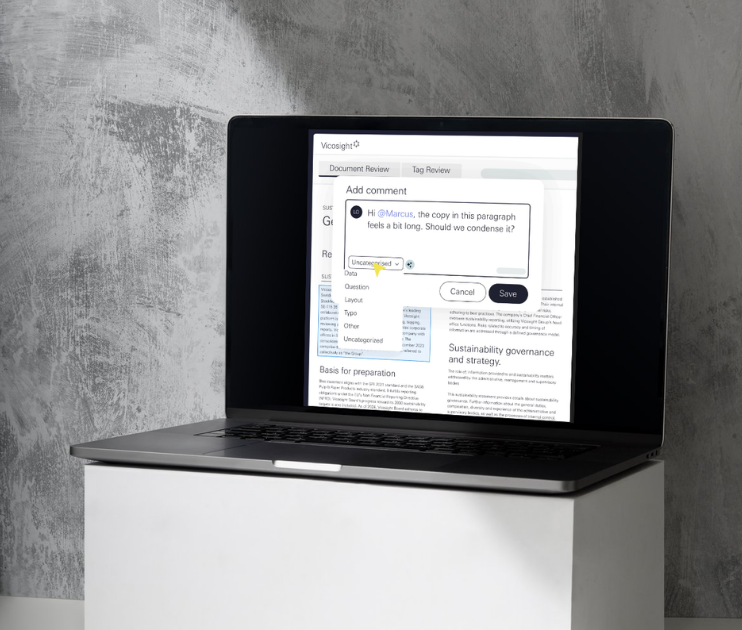
Once you have a user account and all the necessary installations in place, it's time to acquaint yourself with the platform. We've curated various learning guides to facilitate your needs.
For those new to Vicosight, we strongly recommend beginning with the first video in the Platform Guide. This video offers a comprehensive understanding of what Vicosight is and how it functions. While most of the videos are brief, lasting just a few minutes, a select few may require a bit more time.
Feel free to explore the other videos and guides as well, enriching your knowledge of the available tools.
For any questions, explore our comprehensive support site, or engage our Client Services Team if you need technical assistance.

Learning Guide Begin a comprehensive learning journey through this guide designed to help you understand the fundamentals of getting started with...

The Vicosight Platform Begin a learning journey through this guide designed to help you understand the ins and outs of Adobe InCopy and Vicosight...

Prepare documents for XBRL In this guide, we'll provide you with the knowledge to properly prepare InDesign documents for XBRL tagging. We will...

Discover essential CtrlPrint tips for designers to streamline workflows, manage PDFs, and optimize document preparation. Learn how to improve...
Master Adobe InCopy and CtrlPrint with our comprehensive guide, featuring step-by-step videos and a quiz to solidify your learning.
Learn how to prepare InDesign reports for CtrlPrint XBRL tagger with this comprehensive guide, covering workflow tips, font issues, and settings to...