How AB Sagax saves about a week per person for each report with Vicosight Integrate
Arvid Rapp, Head of Group Accounting at AB Sagax, shares how Integrate links figures from Excel to the report, saving around 40 hours per report.
2 min read

We highly recommend using Adobe InCopy/InDesign 2025 (v.20) this upcoming season. (Note that users can have any version of 20. For example, 20.2 and 20.4 are compatible with each other. As long as the version starts with 20 they will work together.) Information about how to install version 20 can be found here: InCopy | InDesign
.
In late October, Adobe released a new version of InCopy/InDesign, 2026 (v.21). At the same time, 2024 (v.19) was removed from Creative Cloud, and support for it ended. You can continue using it; however, we are no longer able to assist if you run into any issues. We do not recommend using 2026 (v.21) for production this year.
Make sure to turn off Adobe’s auto-update function to avoid having it automatically update to v.21 in October. Important information about this can be found here.
Make sure to keep your current version(s) if you need to open older CtrlPrint documents – files can only be opened in the version they were created with. You can have multiple versions of InCopy/InDesign installed on the same computer. If you need a version that is not available in Creative Cloud, you can contact Adobe support to request an installer.
If you are unsure which version you need to open your files, see the page found here.
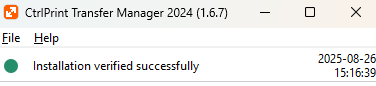
Please also note that you need the latest version of CtrlPrint Transfer Manager 1.6.10. You can check which version you currently have installed, and update it if needed, by following the instructions on these pages:
Updating Transfer Manager for Windows
Updating Transfer Manager for Mac
If you need to add documents to CtrlPrint you will need to install our plug-ins - this adds the “CtrlPrint” menu to InDesign. You can install them here.
Correct fonts are imperative for a smooth process, especially if you’re submitting an ESEF report.
Missing fonts can cause issues with textblock tags and will change the appearance of documents. Ensure all users working with Adobe InCopy/InDesign have the same fonts installed before the project gets going. Read more about missing fonts here.
We want you to have the best learning experience possible. Therefore, we've created a Trail Guide. Answer a few short questions, and get a recommendation based on your needs. Learning – Designed by you.
Discover our trail guideWhether you have a question, need technical assistance or require guidance in maximising the potential of our platform – You are always welcome to contact us.
Contact UsArvid Rapp, Head of Group Accounting at AB Sagax, shares how Integrate links figures from Excel to the report, saving around 40 hours per report.
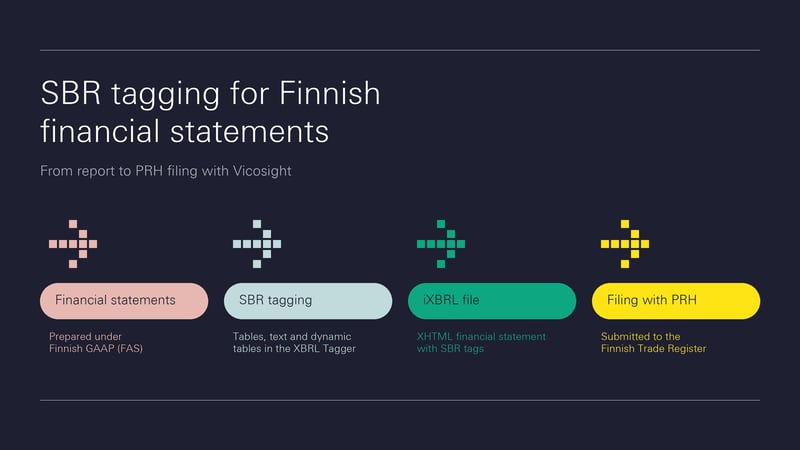
Discover how to navigate Finland's SBR taxonomy for iXBRL tagging with Vicosight, ensuring compliance for your digital financial statements.
Take part in Vicosight’s State of Corporate Reporting 2026 benchmark. 8–10 minutes, anonymous, and every participant can receive the benchmark report.

CtrlPrint's expansion Down Under CtrlPrint has been providing the CtrlPrint platform to Australian organisations for several years. However, the...

Learn what UKSEF is, its key differences from ESEF, and how UK-listed companies can seamlessly transition to this new reporting format for compliance...

Words & Numbers 2023 reveal insights and best practices in annual and sustainability reporting through a new survey Since 2016, CtrlPrint has been...